Everything your practice needs to manage the working day

Sienna brings patient information, clinical documentation, appointment scheduling, billing, inventory, and reporting together in one browser-based practice-management system.
Explore the live demo

See the available features in the sandbox

Book a guided demo

A walkthrough with our team

How Sienna fits the day-to-day

Find the patient, document the consultation, plan the next step, and manage billing.

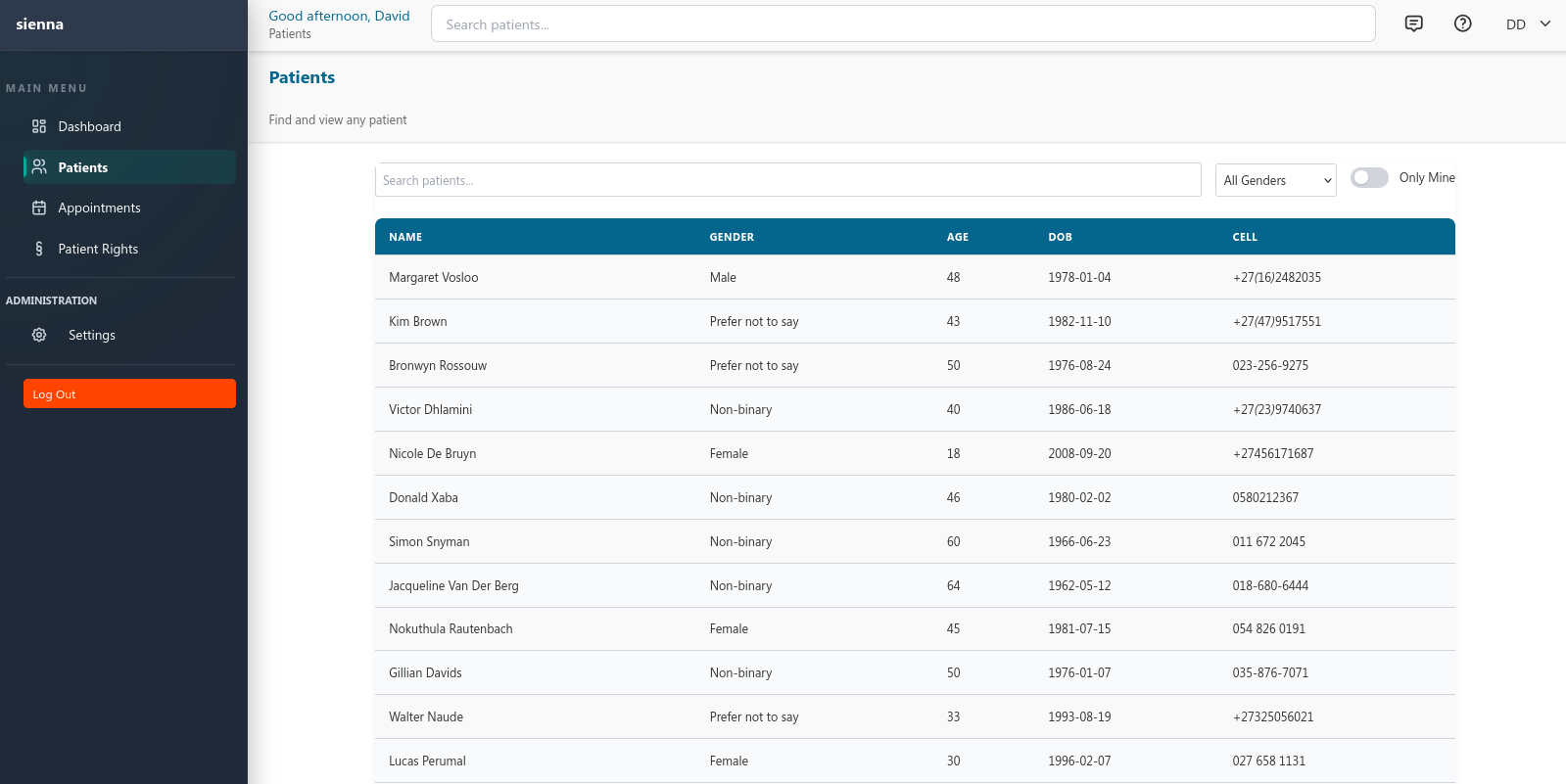
Sienna patient search showing a list of patients with search filtering and quick access to open a patient record
Step 1

Find the patient

Access the patient's available demographic and clinical information.
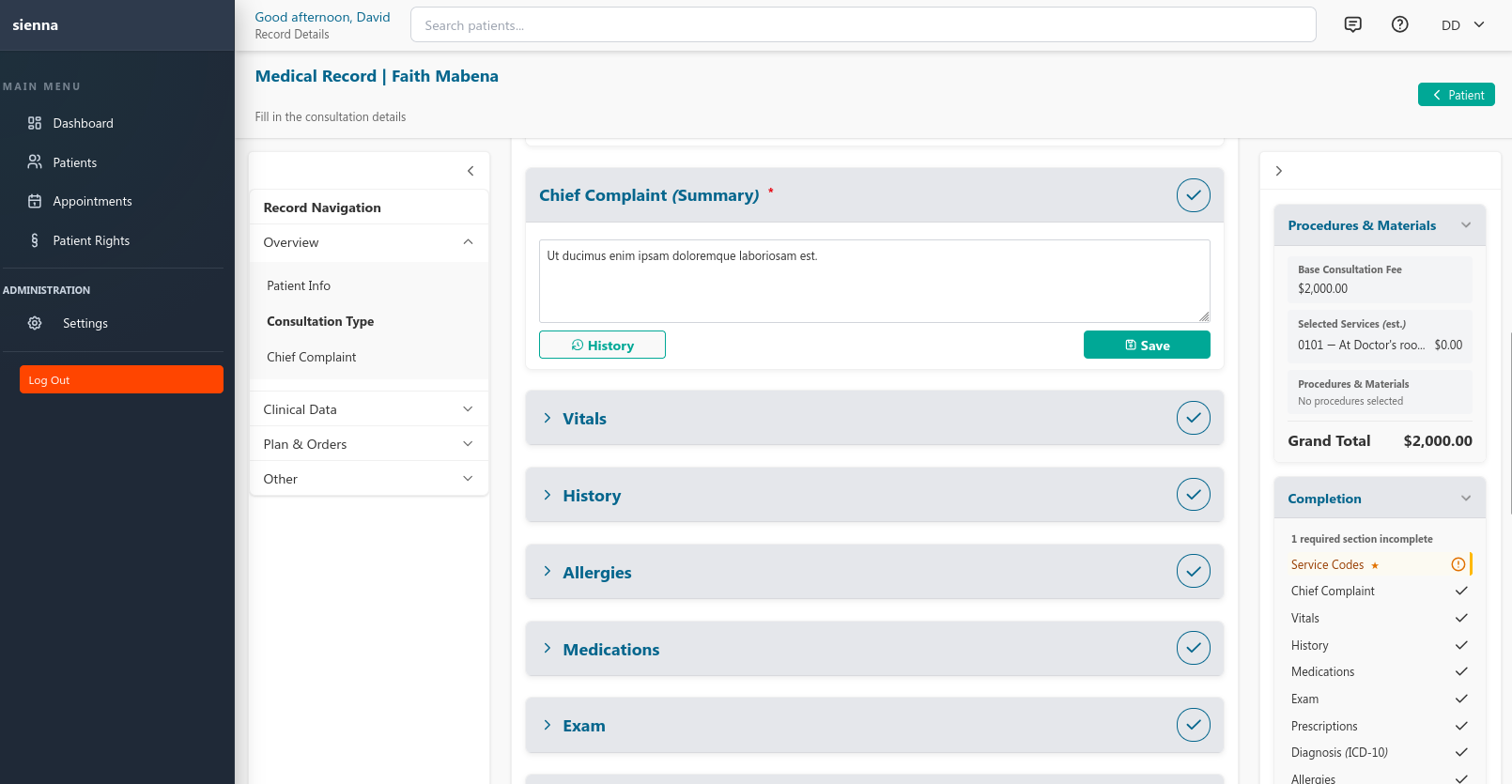
Sienna medical record builder showing the consultation form with chief complaint, procedures and materials, clinical data, and completion status
Step 2

Document the consultation

Record clinical findings, vitals, relevant history, diagnoses, and a treatment plan.
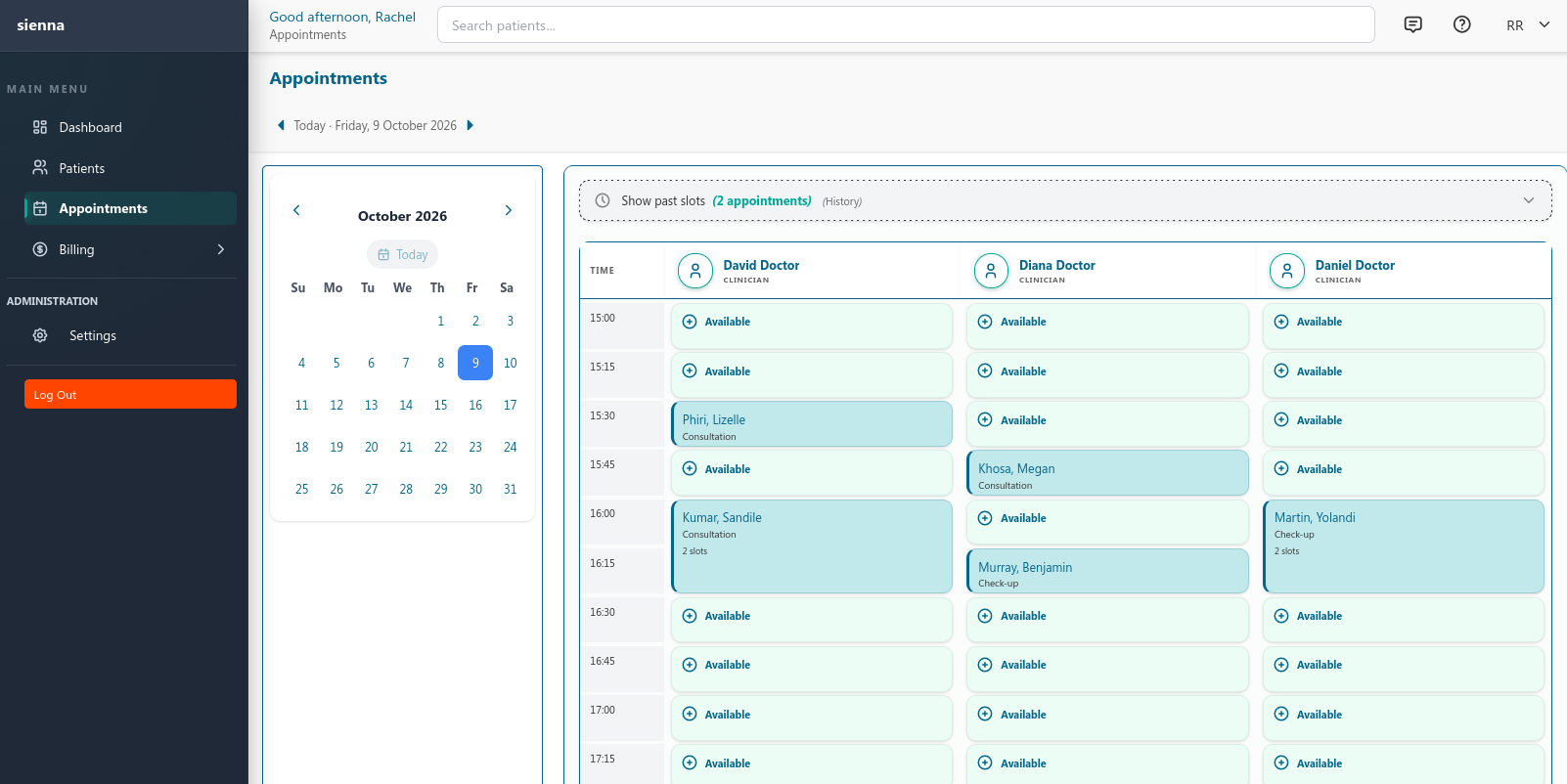
Sienna appointment calendar day view with scheduled consultations across multiple practitioners
Step 3

Plan the next step

Schedule a follow-up appointment when needed.
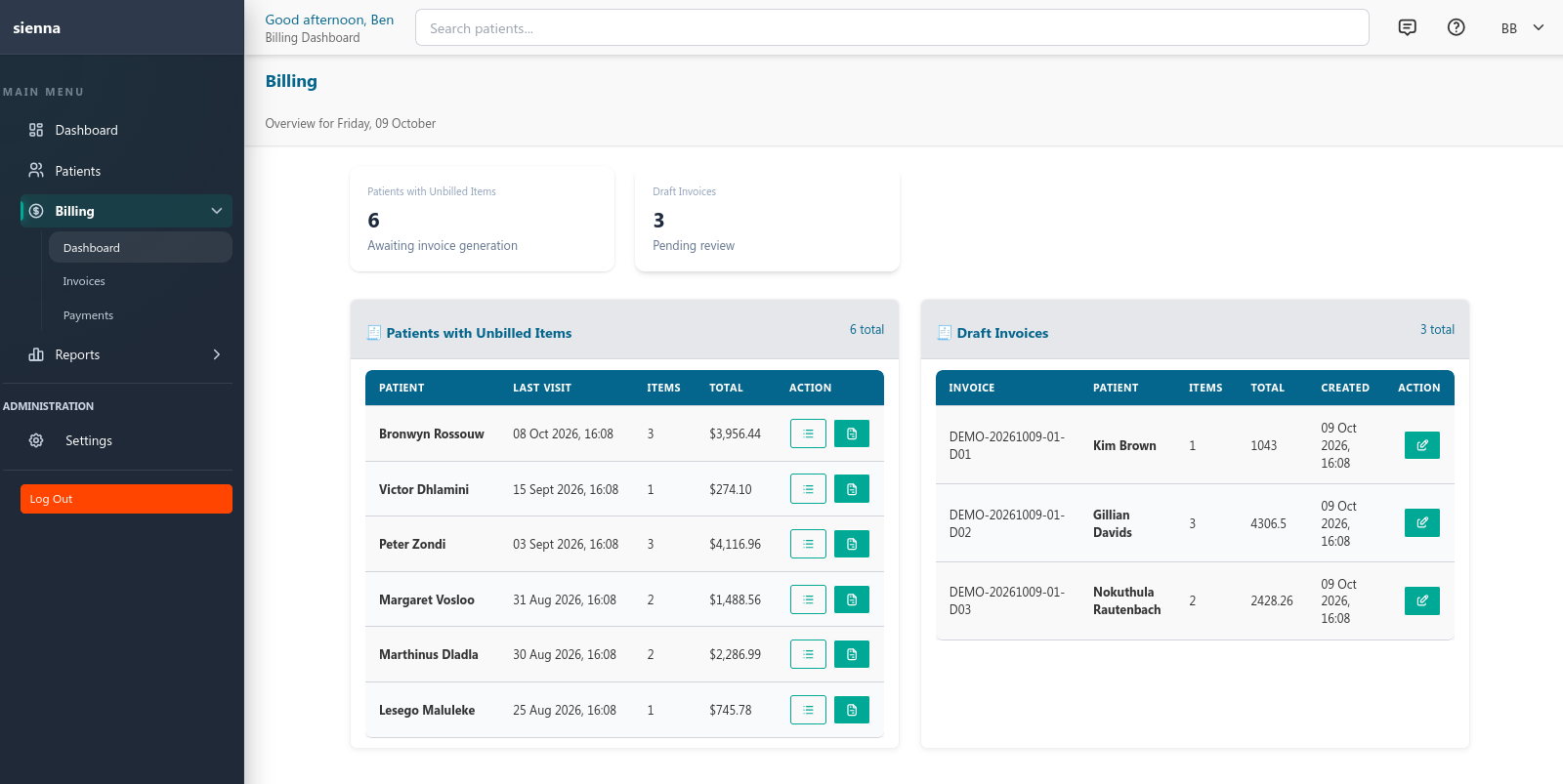
Sienna billing dashboard showing patients with unbilled items and draft invoices
Step 4

Manage the financial workflow

Create invoices, record payments, and track outstanding balances.

A. Clinical workflows

Patient management

Keep patient information organized and accessible, including demographics, contact details, coverage information, emergency contacts, clinical alerts and relevant notes.

  • Patient search and lookup
  • Demographics and administrative details
  • Clinical alerts and patient notes
Sienna patient search and patient-management view
Sienna medical record builder showing consultation sections, vitals, diagnoses and treatment plan

Medical records and consultations

Document consultations using structured clinical sections, from presenting complaints and observations through examination, diagnoses, procedures, and treatment plans.

  • Chief complaints, vitals, history, allergies and medications
  • Examinations, procedures and ICD-10 codes
  • Treatment plans, attachments and record finalization
  • Suggestions and totals sidebar for prices and materials

B. Practice operations

Appointment scheduling

Organize appointments through Sienna's scheduling workflow and configure the appointment types used by your practice.
  • Daily and scheduled appointments
  • Appointment-type management
Sienna appointment calendar day view with scheduled consultations
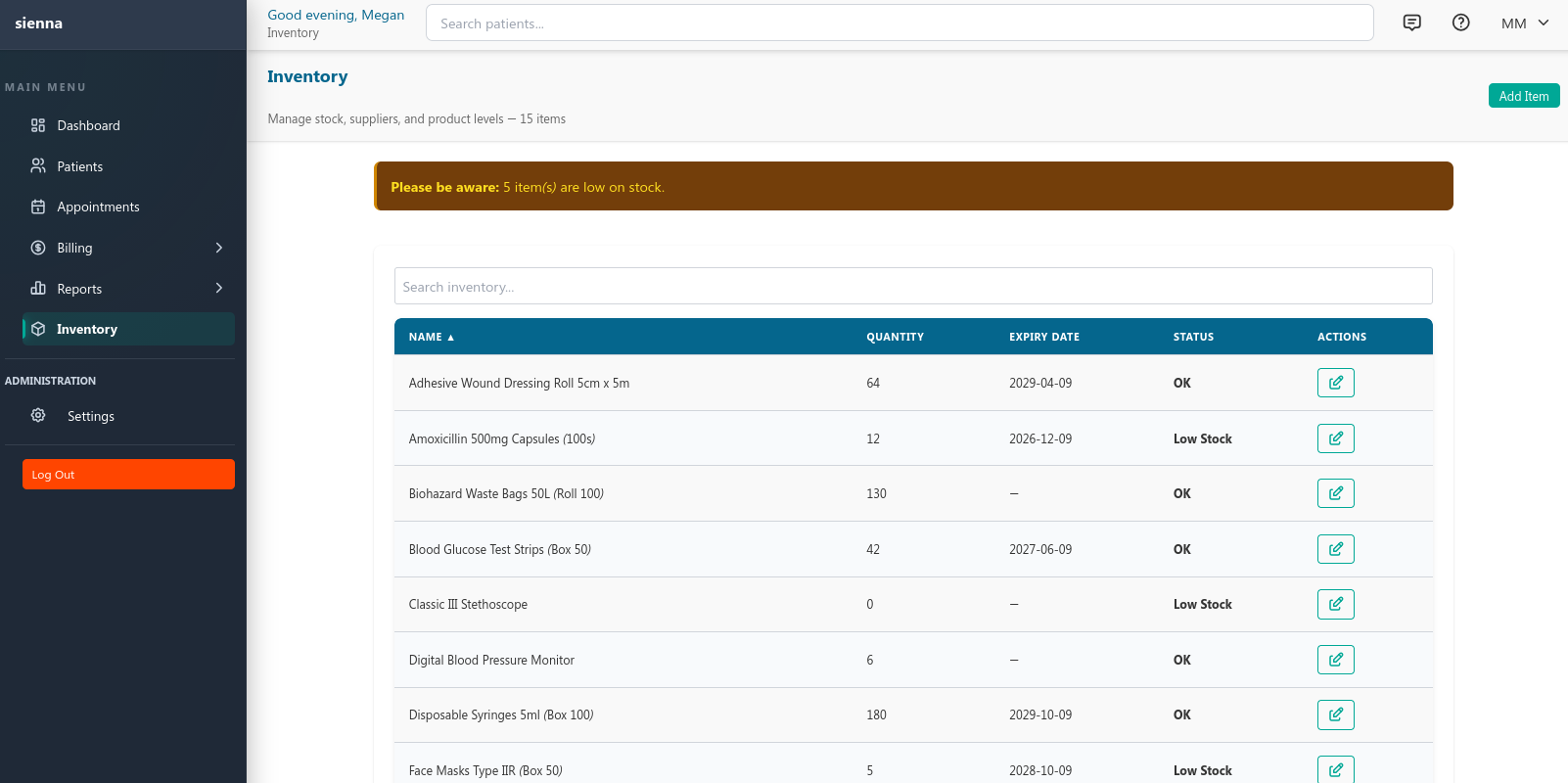
Sienna materials and inventory management screen

Materials and inventory

Keep track of the materials and stock managed by your practice alongside other workflows.

Users, roles, and practice settings

Configure practice settings and manage staff access through the application's role-based permission system.
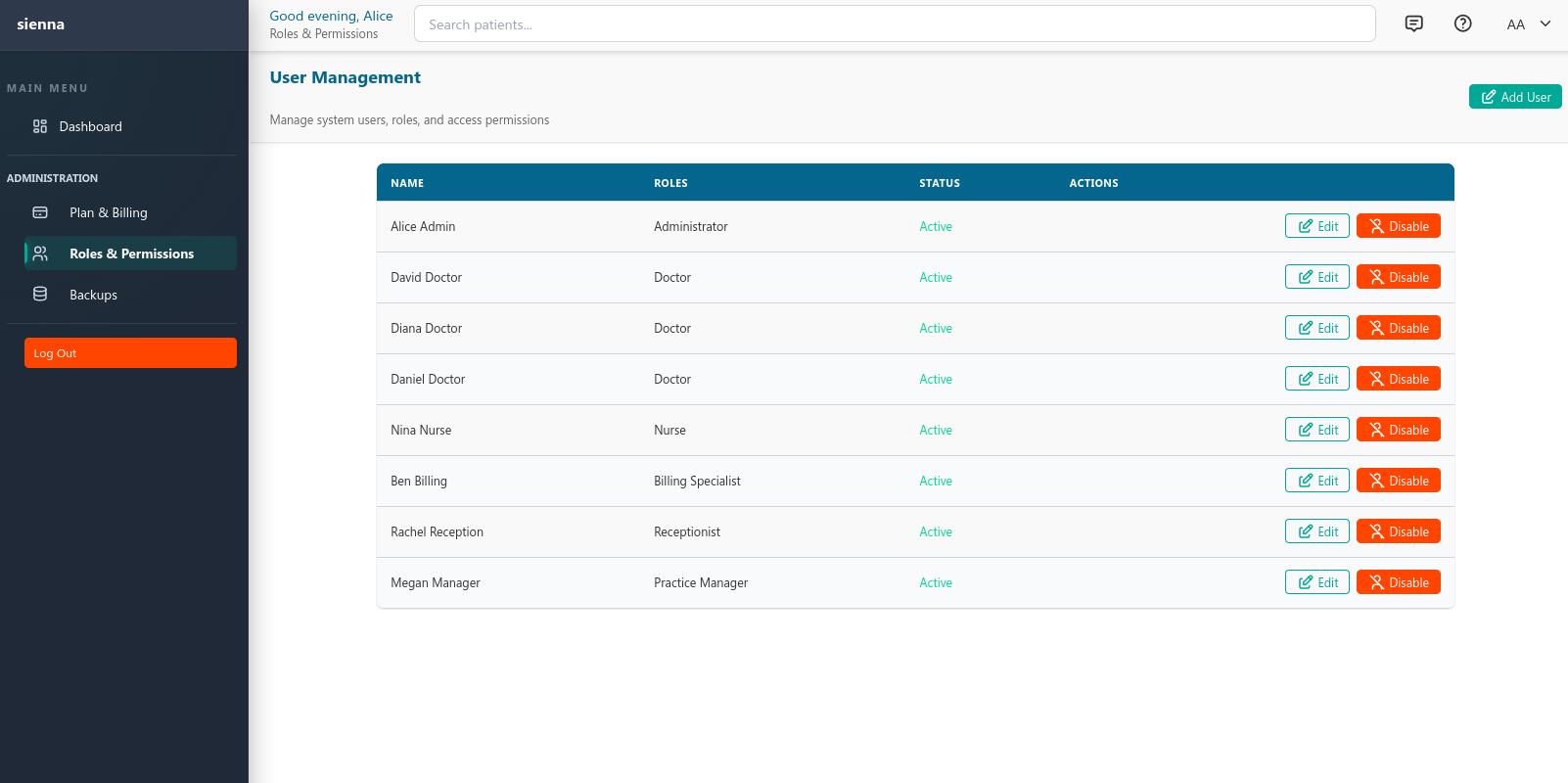
Sienna user management screen with role-based access controls

C. Billing and reporting

Billing and invoices

Create and manage invoices, record payments, and keep track of outstanding balances within the practice-management system.

  • Invoice management and editing
  • Payment tracking
  • Outstanding invoice tracking
Sienna billing dashboard showing unbilled items and draft invoices

Reporting

Access the available clinical, billing, operational, and compliance reports to review information relevant to your practice.

  • Appointments, billing and outstanding balances
  • Operational overview relevant to day-to-day management

Backup and restore tooling

Sienna includes tools for managing backups and restoration. The precise backup schedule, storage arrangements, encryption, retention, and responsibility for recovery depend on the confirmed deployment and support arrangement.

Learn more about implementation or read the security overview.

See Sienna in a real workflow

Explore the demonstration environment to see the available features, or arrange a guided walkthrough to discuss your practice's requirements.

Explore the live demo

Try the sandbox with sample data — no signup required

Book a guided demo

A walkthrough with our team