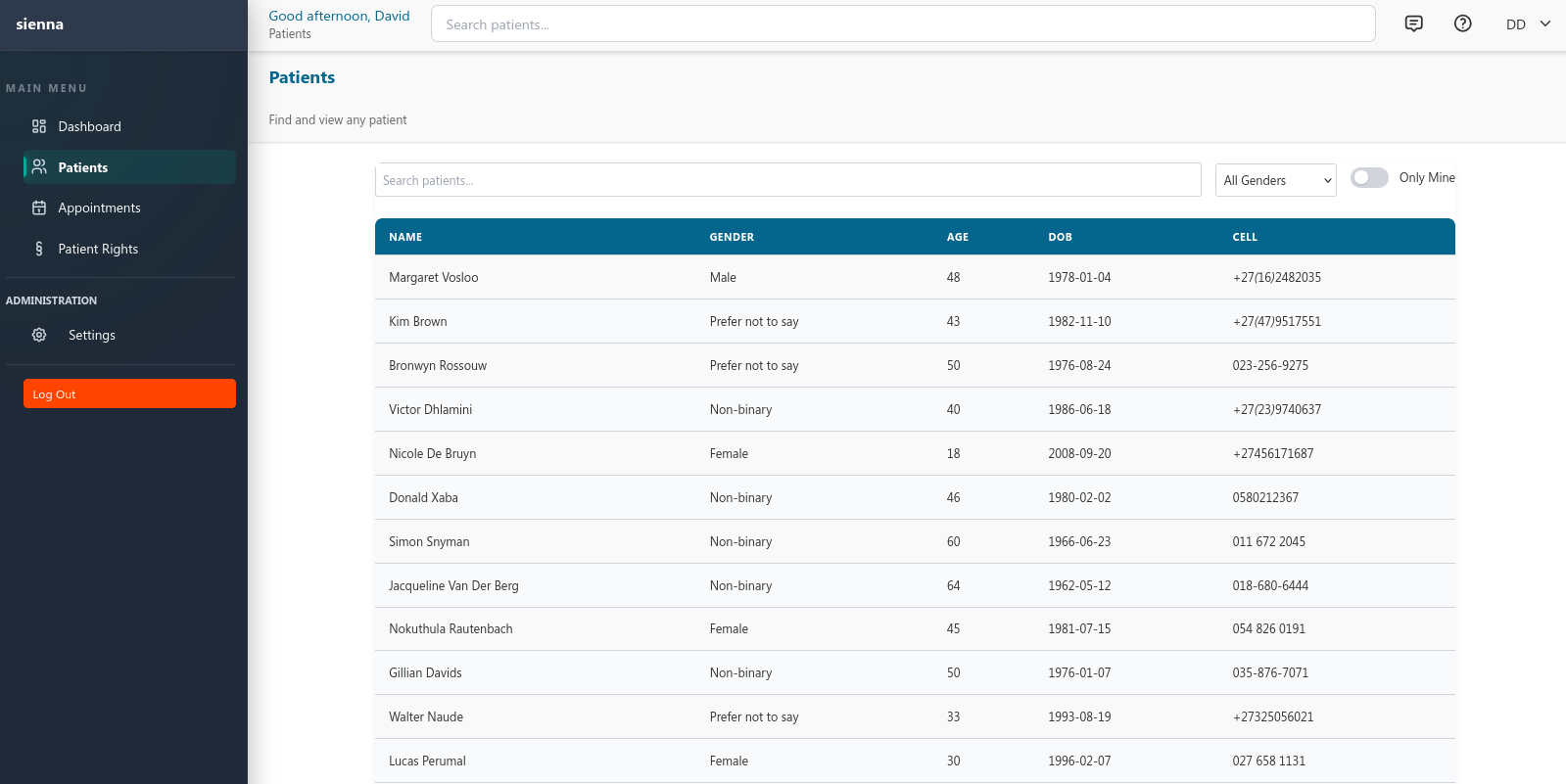
Step 1
Find the patient
Access the patient's available demographic and clinical information.
Open the sandbox with sample data — no signup required
A walkthrough with our team
On-site deployment | Browser-based access | Role-based permissions | Backup & restore tooling
From patient registration and clinical documentation to appointments and billing, Sienna connects the core workflows that keep a practice running.
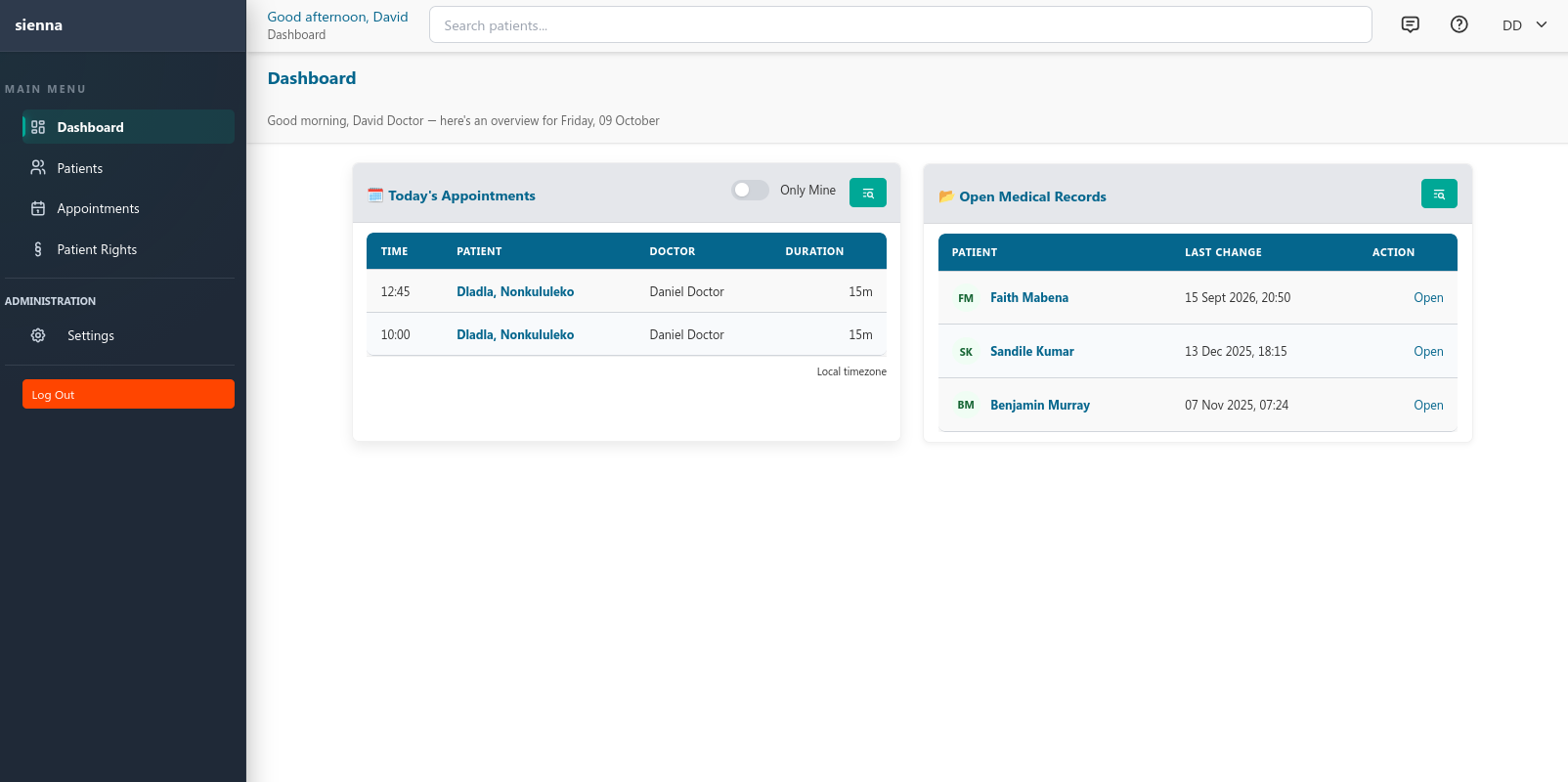
Sienna keeps the common steps of a consultation within one system. Each step is recorded by your team — the software does not make clinical decisions for you.
Access the patient's available demographic and clinical information.
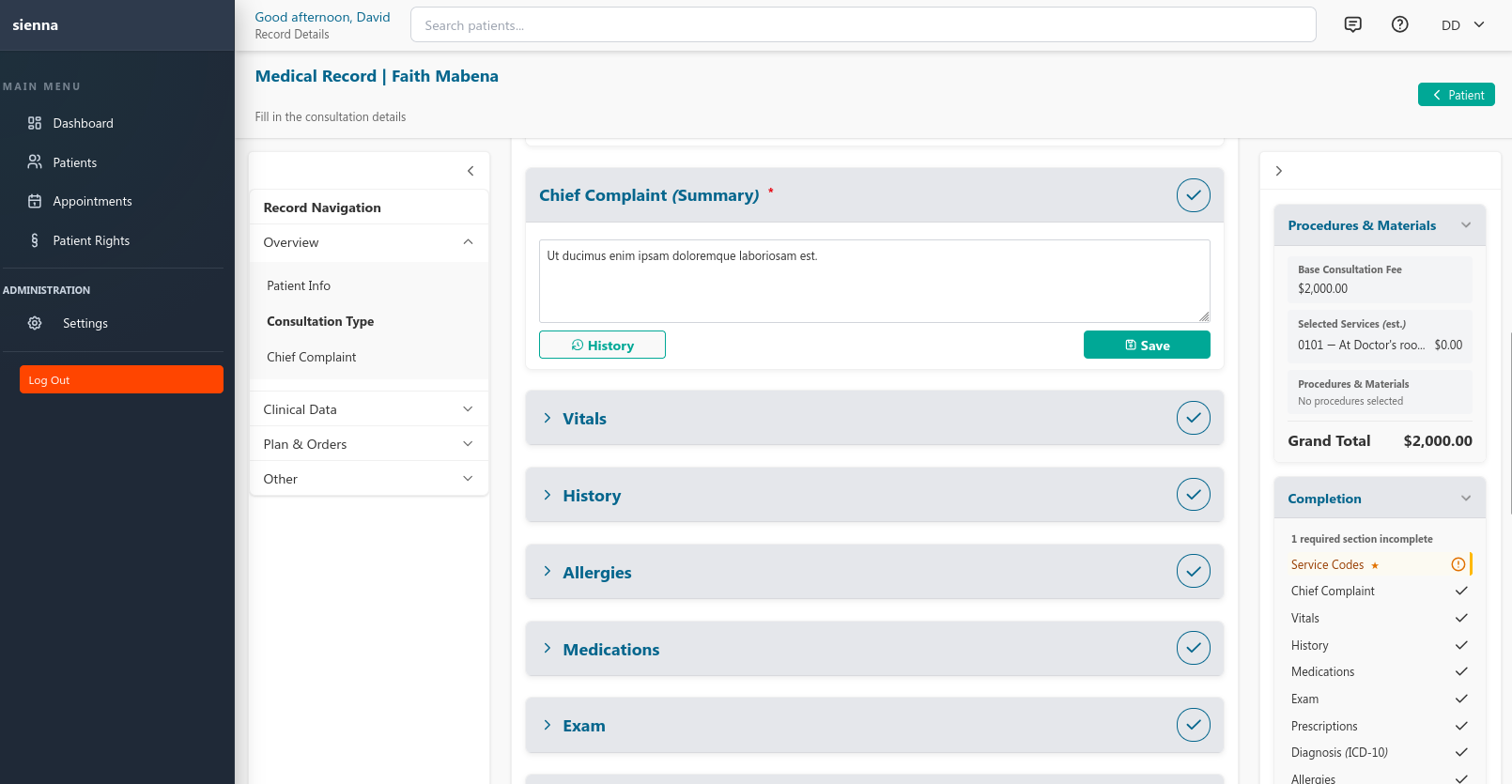
Record clinical findings, vitals, relevant history, diagnoses, and a treatment plan.
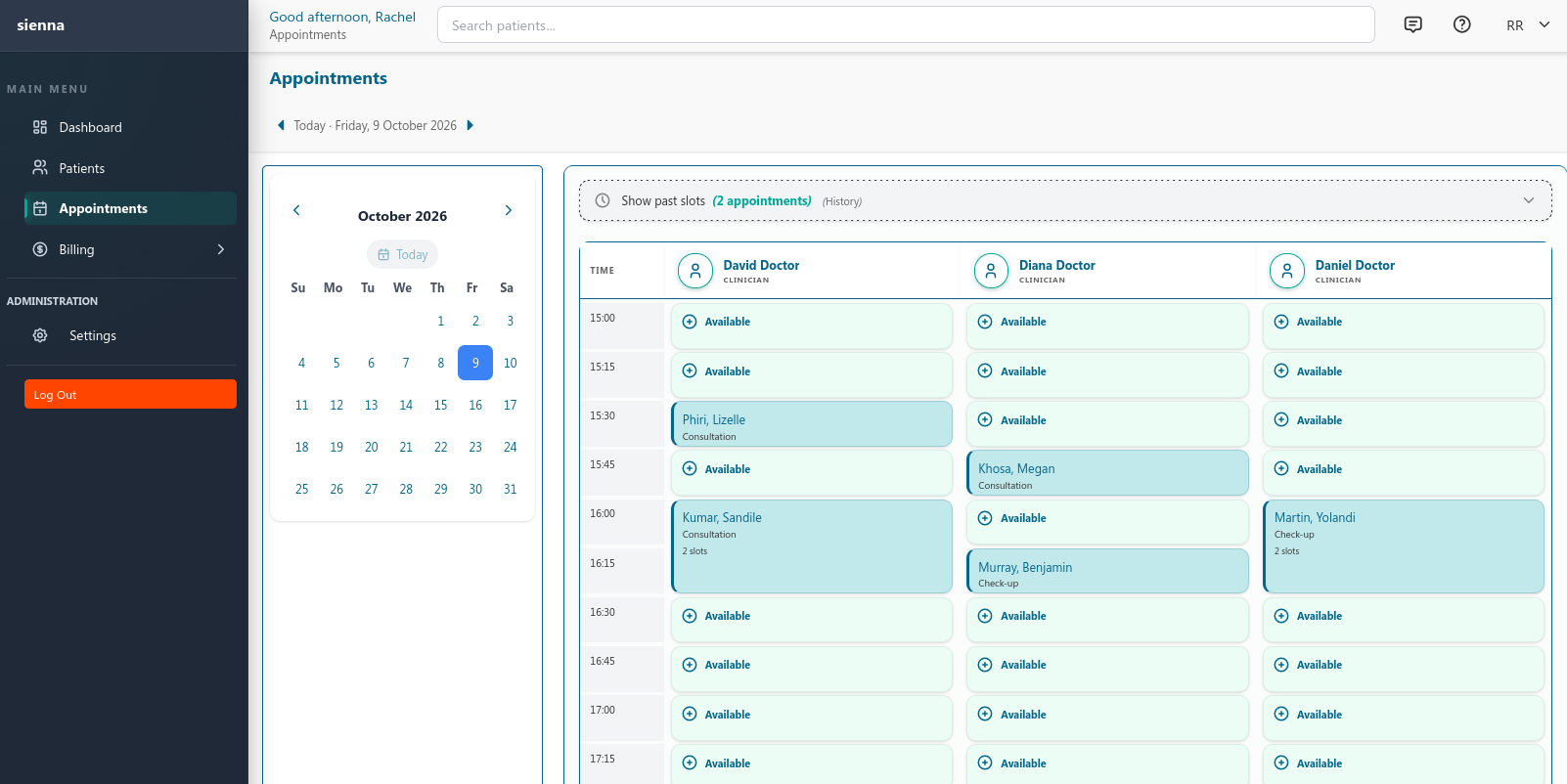
Schedule a follow-up appointment when needed.
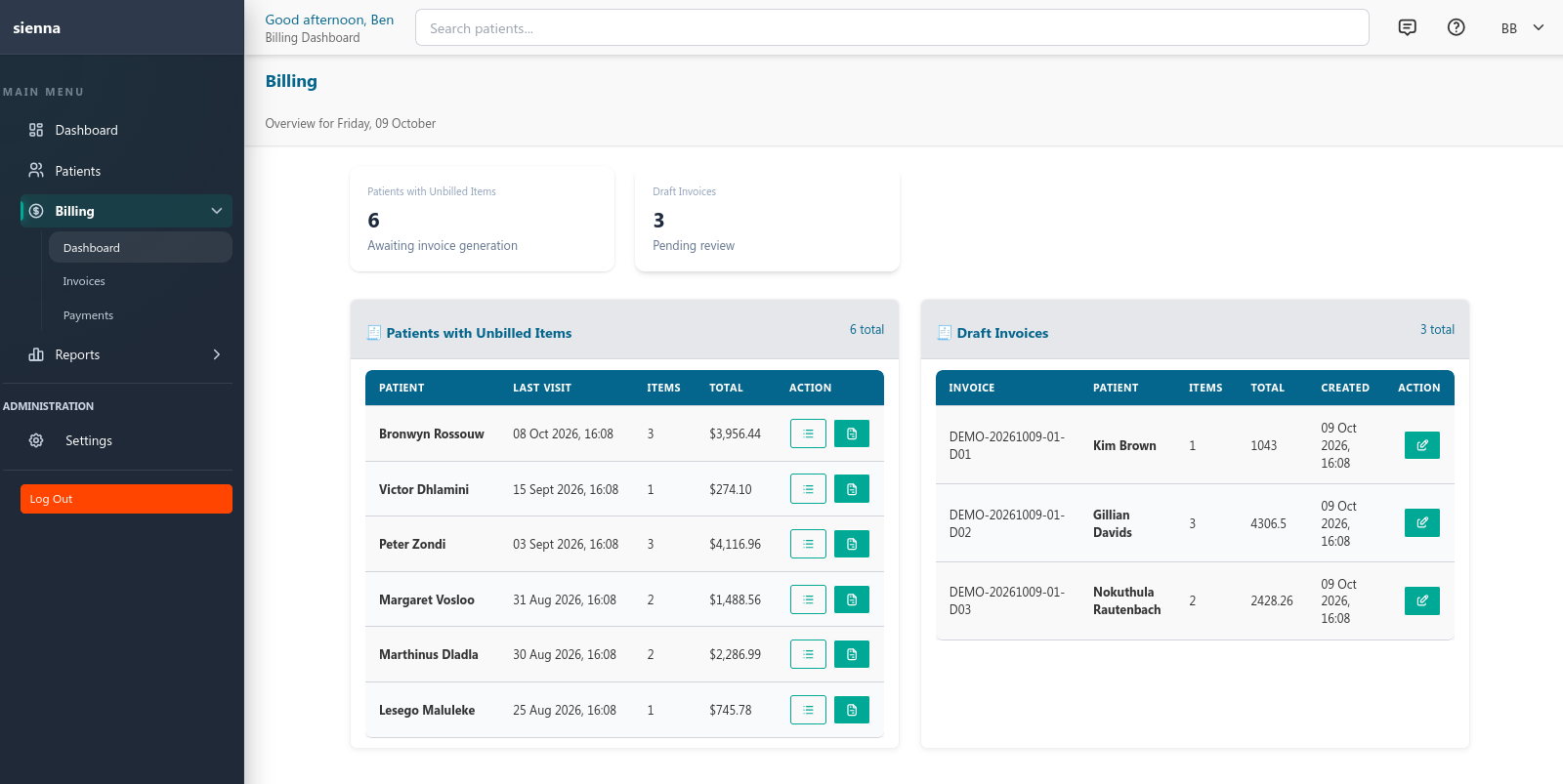
Create invoices, record payments, and track outstanding balances.
The core capabilities that support day-to-day work in a GP practice.
Keep demographics, contacts, and visit history together in a single patient view.
Document consultations with clinical findings, vitals, history, diagnoses, and a plan.
Book appointments and see the day's schedule across your practitioners.
Create invoices, record payments, and track outstanding balances.
Record materials and consumables used during consultations.
Review appointments, revenue, and outstanding invoices in one place.
Control who can view or update information with role-based permissions.
Use built-in backup and restore tools, with copies kept under your practice's control.
Why Local-First Sienna delivers a different experience for clinicians.
| Attribute | Local-First | Typical Cloud EMR | Clinician Benefit |
|---|---|---|---|
| Data location | Your records stay inside your practice | Remote cloud servers | Full data ownership |
| Speed | Low-latency access on the practice network | Internet dependent | Responsive on the local network |
| Availability | Local deployment can remain accessible during internet outages — availability depends on the local server, network, and power | Dependent on vendor uptime | Less reliance on internet uptime |
| Data control | Direct control of where data resides | Varies by vendor | Clearer data location |
| Vendor lock-in | Your data lives on hardware you control | Often proprietary | Greater autonomy |
The system runs on hardware in your practice rather than depending on a remote cloud-only setup, so you retain direct control over where records reside.
Sienna supports local deployment, which can allow the locally hosted application to remain accessible without an external internet connection. Availability still depends on the local server, local network, power, and any connected services.
The system is web-based and runs in a modern browser on desktops, laptops, and tablets, with no additional installs.
Because Sienna runs inside your practice, the physical security of the server, power, local network security, user accounts, and storage of backups remain part of your practice's responsibilities. We cover these during onboarding.
Patient data stays under the control of your practice.
Role-based permissions control who can view or update patient information.
Sienna runs inside your practice, so you control where patient data resides.
Built-in backup and restore tooling keeps copies under your practice's control.
We handle deployment directly, from planning through to preparing your team.
Understand the practice's requirements and environment.
Prepare the agreed deployment and practice settings.
Onboarding and handover based on the actual services offered.
Choose the entry point that fits your stage: a quick sandbox, a guided demo, or a practice-fit discussion for your clinic.
Walk through consultation, records, scheduling, and billing with the team.
Explore the product with sample patient data and no sales call.